
I don’t see my project in preview or published/shared site
If you can’t see your project in preview mode or on the published/shared site, follow these steps to troubleshoot the issue:
1. Check if Pages Are Converted to Blocks
- If your pages are converted to blocks, they will not be visible in preview or on the live site.
- You can identify blocks by the grey diagonal lines covering them.
2. Convert Blocks Back to Pages
To make your pages visible again:
- Hover over the affected page in the project editor.
- Click on the three dots (•••) icon.
- Select "Convert to Page" from the menu.
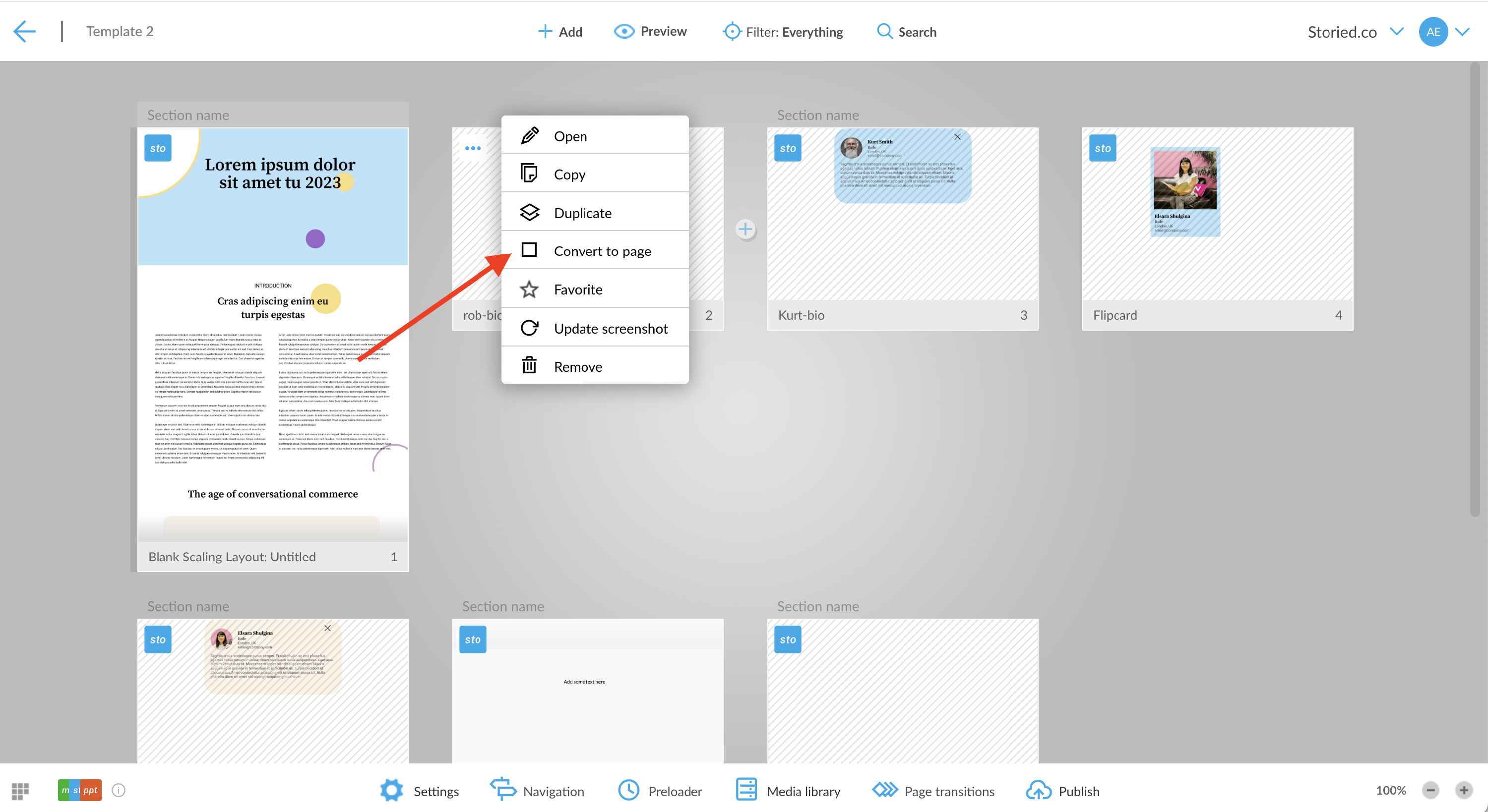
- Generate new preview or republish your site to see the changes.
4. Republish the Site
- If changes don’t appear immediately, try republishing the site.
- Clear your browser cache and refresh the page.