
How to invite team members
Account admins can add and manage users within their account.
Sending an invitation
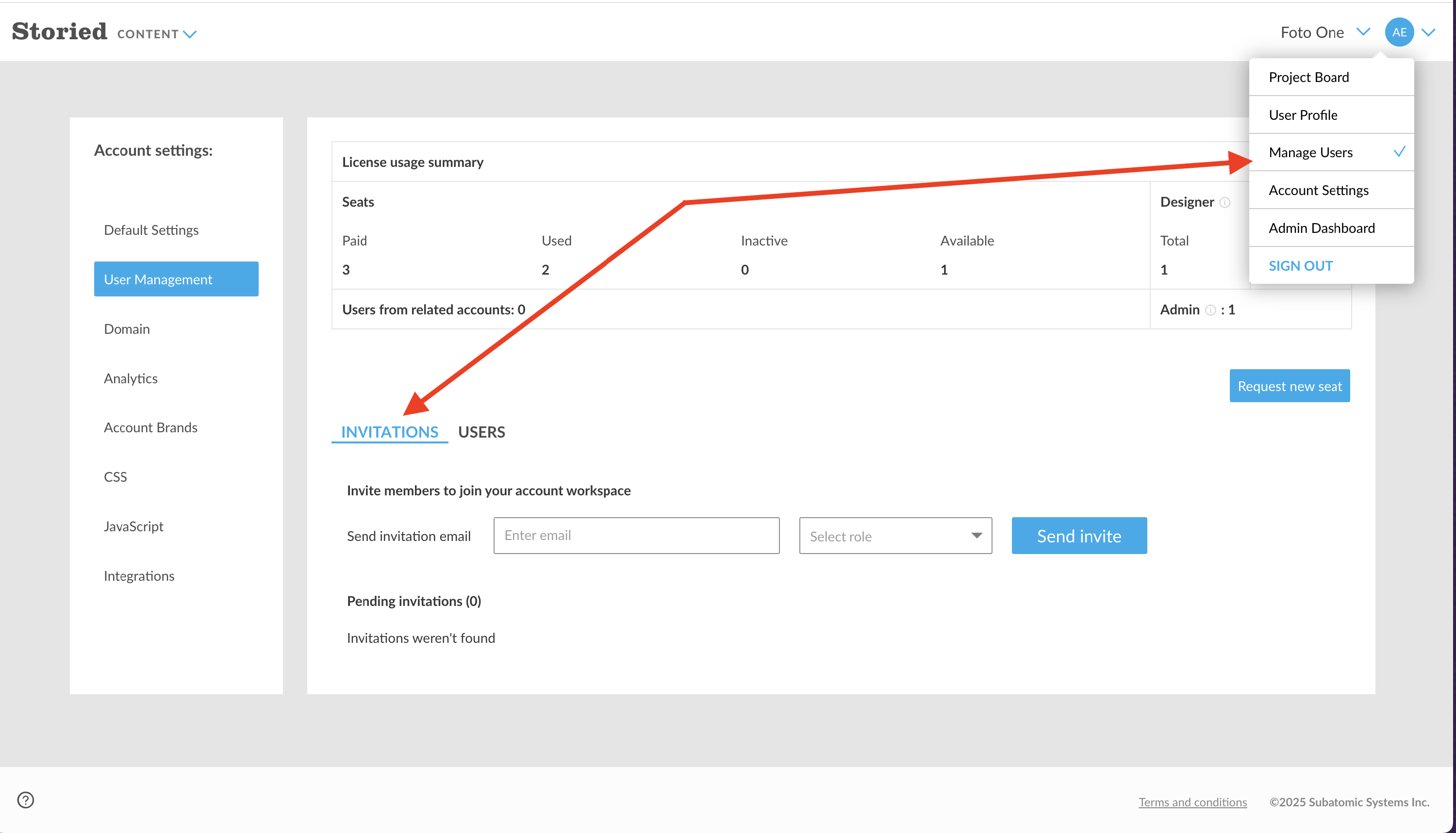
- Go to the Manage Users tab.
-
Select Invitations.
-
In the email field, enter the new team member’s email address.

- Choose their role: Marketer, Designer, or Admin.
- Send the invitation.
The new user will receive an email with a link to log in.
Things to know
- Expiration: Invitations expire after 7 days. If the user hasn’t logged in by then, you’ll need to resend the invite.
- Email delivery: If the invite doesn’t appear in their inbox, ask them to check their spam or junk folder.
👉 Once the user accepts the invitation, they’ll be added to your account with the role you assigned.