
How to make an element visible only the first time a page loads
You can make an element appear only once by adding a special attribute to it.
Step 1: Select the Element
Select the element you want to display only once.
Step 2: Open the Advanced Panel
In the right sidebar, open the Advanced panel.
Step 3: Add the Attribute
- Go to Styles → Attributes.
- Add the following attribute:
show-once="name_of_item"
- Replace name_of_item with the name of your element (you can find it in the Layers panel).
Example
If your element’s name is promo_overlay , your attribute should look like this:
show-once="promo_overlay"
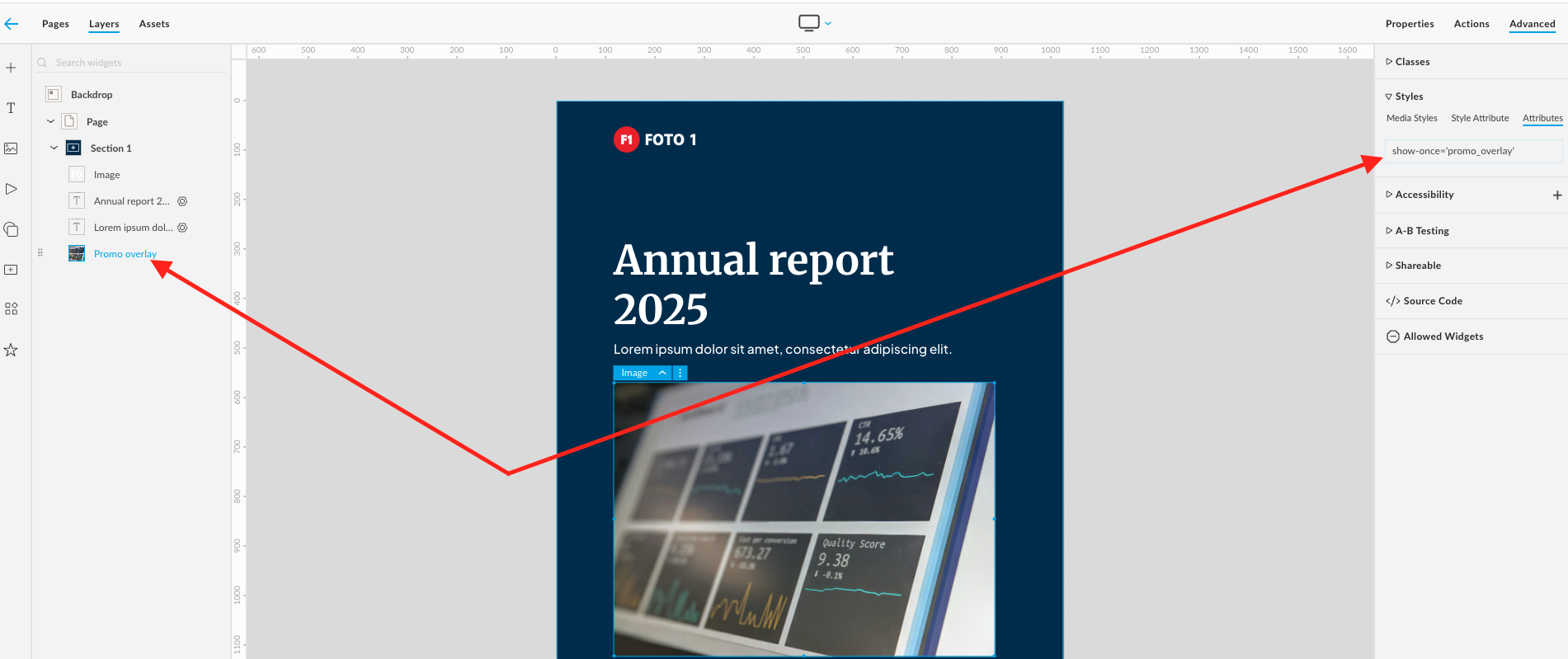
Once added, the element will only appear the first time the page is viewed.