
How to restore a deleted page
If you’ve accidentally deleted a page you still need, you can easily restore it from the Trash folder.
Step 1: Open the Project View
Go to your Project View.
Step 2: Access the Trash Folder
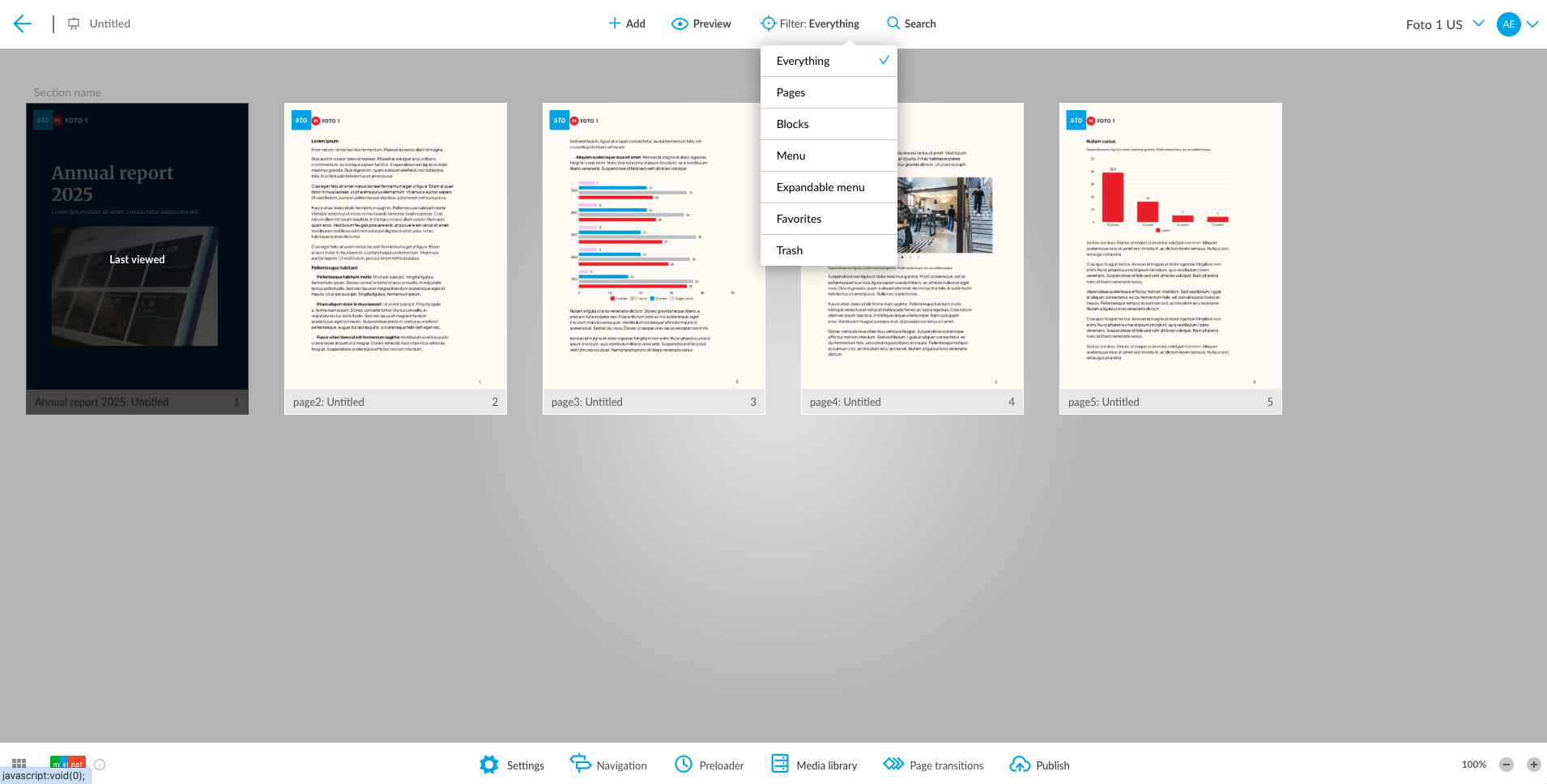
- Open the Filter dropdown at the top of the page.
-
Select the Trash folder from the dropdown menu.
This will display all deleted content pages.
Step 3: Restore the Page
- Find the page you want to restore.
- Click the three dots in the top-left corner of that page.
- Select Restore from the menu.
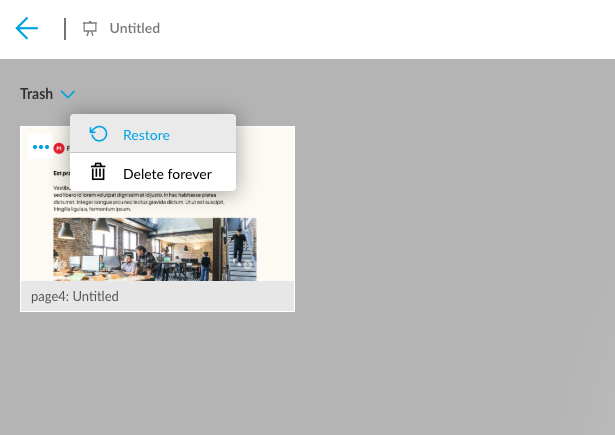
Your page will now be restored and moved back to your active content list.